# 安装 Chrome 插件

> ⚠️ 如果您正在使用内测版，请访问 `chrome://extensions/` 将内测版移除后再安装正式版。

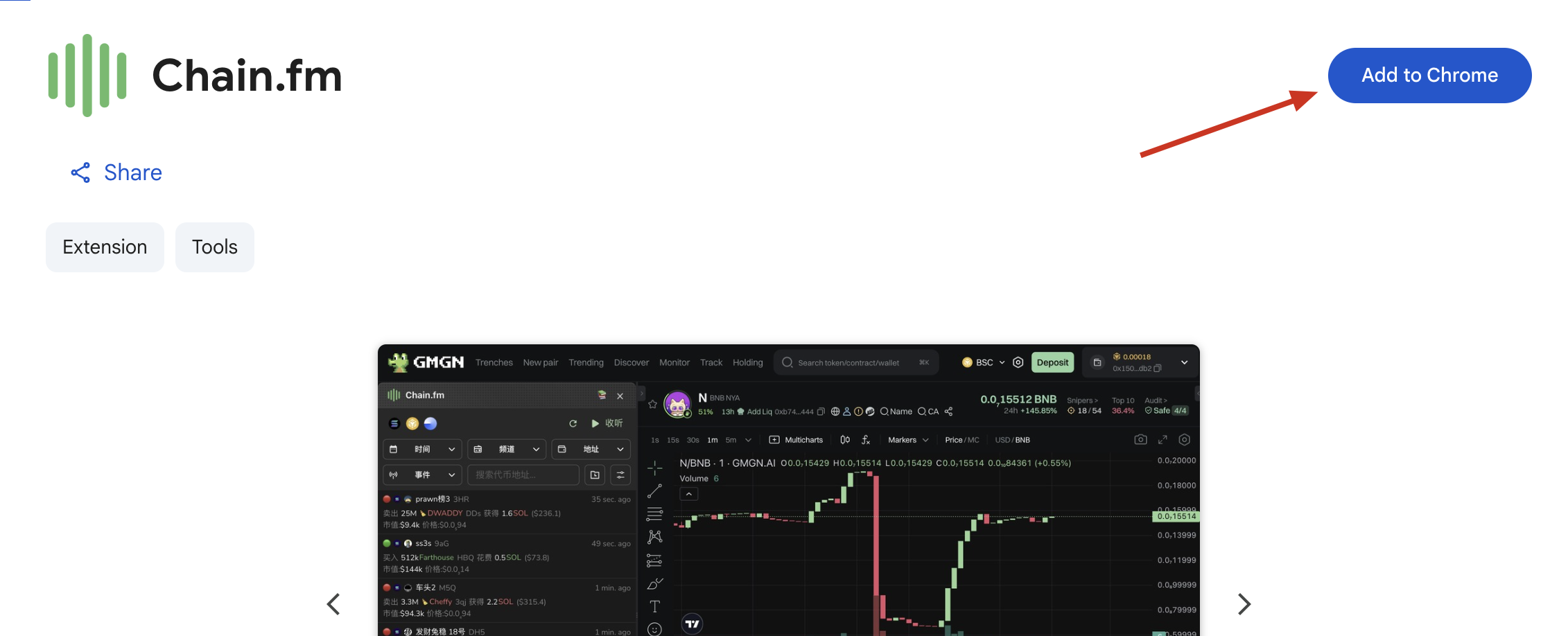
1. 访问 Chain.fm 插件的 [Chrome 商店链接](https://chromewebstore.google.com/detail/chainfm/dfmiemdpolbjggikgcjepjndmgcnejbi?hl=en-US\&utm_source=ext_sidebar)
2. 点击**添加到 Chrome**

<figure><img src="/files/jHqnjhuqTU2WnEYNDO7k" alt=""><figcaption></figcaption></figure>

3. 由于插件刚上线，商店会进行安全提示，可以忽略，点击**继续安装**

<figure><img src="/files/zb10pzCfCt6Jr3wpwtD2" alt=""><figcaption></figcaption></figure>

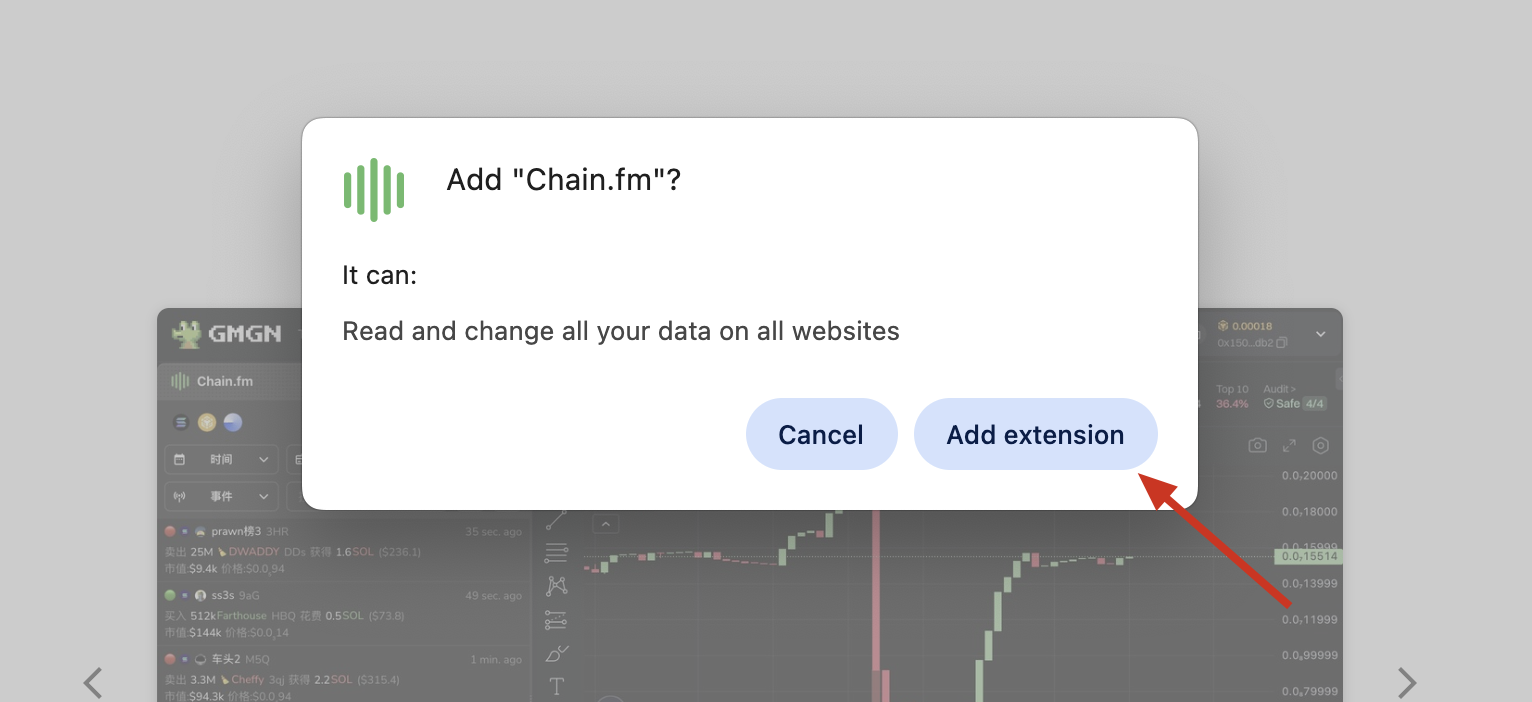
4. 继续安装后商店会再次提示是否安装，点击**添加插件**

<figure><img src="/files/KpAXjxUfbjAZKgSos8zS" alt=""><figcaption></figcaption></figure>

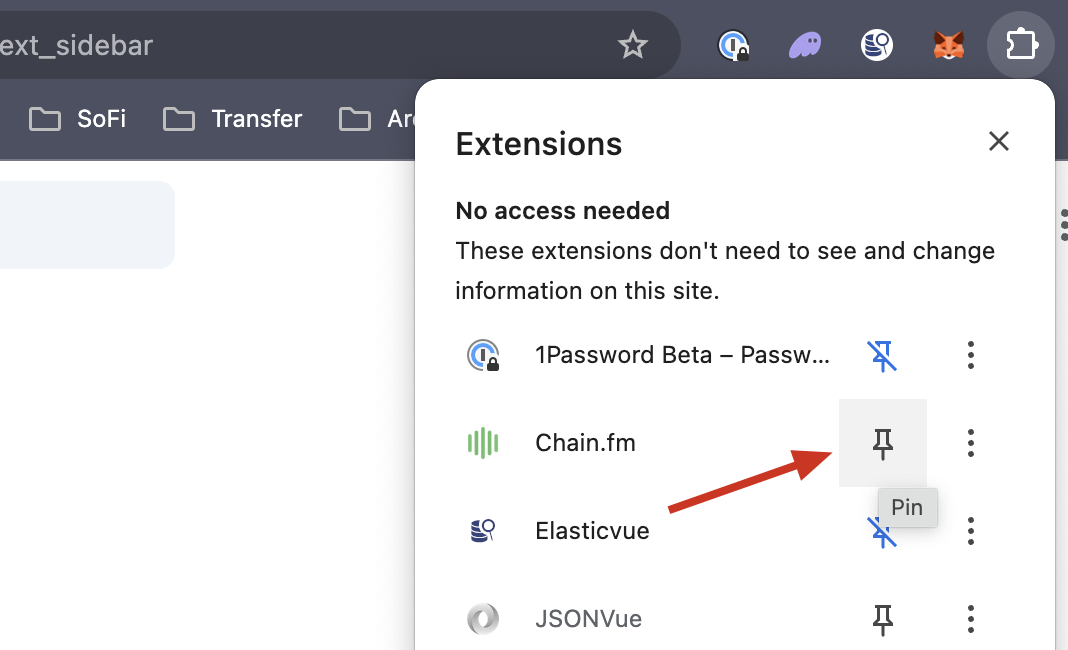
5. 插件添加好之后，点击浏览器地址栏的插件图标，找到 Chain.fm 插件 - 点击Pin 将其固定在地址栏右侧

<figure><img src="/files/rqFfzjbVYV5sw2RIxTFl" alt=""><figcaption></figcaption></figure>


---

# Agent Instructions: Querying This Documentation

If you need additional information that is not directly available in this page, you can query the documentation dynamically by asking a question.

Perform an HTTP GET request on the current page URL with the `ask` query parameter:

```
GET https://docs.chain.fm/docs/zh-cn/chrome-cha-jian/an-zhuang-chrome-cha-jian.md?ask=<question>
```

The question should be specific, self-contained, and written in natural language.
The response will contain a direct answer to the question and relevant excerpts and sources from the documentation.

Use this mechanism when the answer is not explicitly present in the current page, you need clarification or additional context, or you want to retrieve related documentation sections.